Google EDLA Certified Interactive Panels for Schools
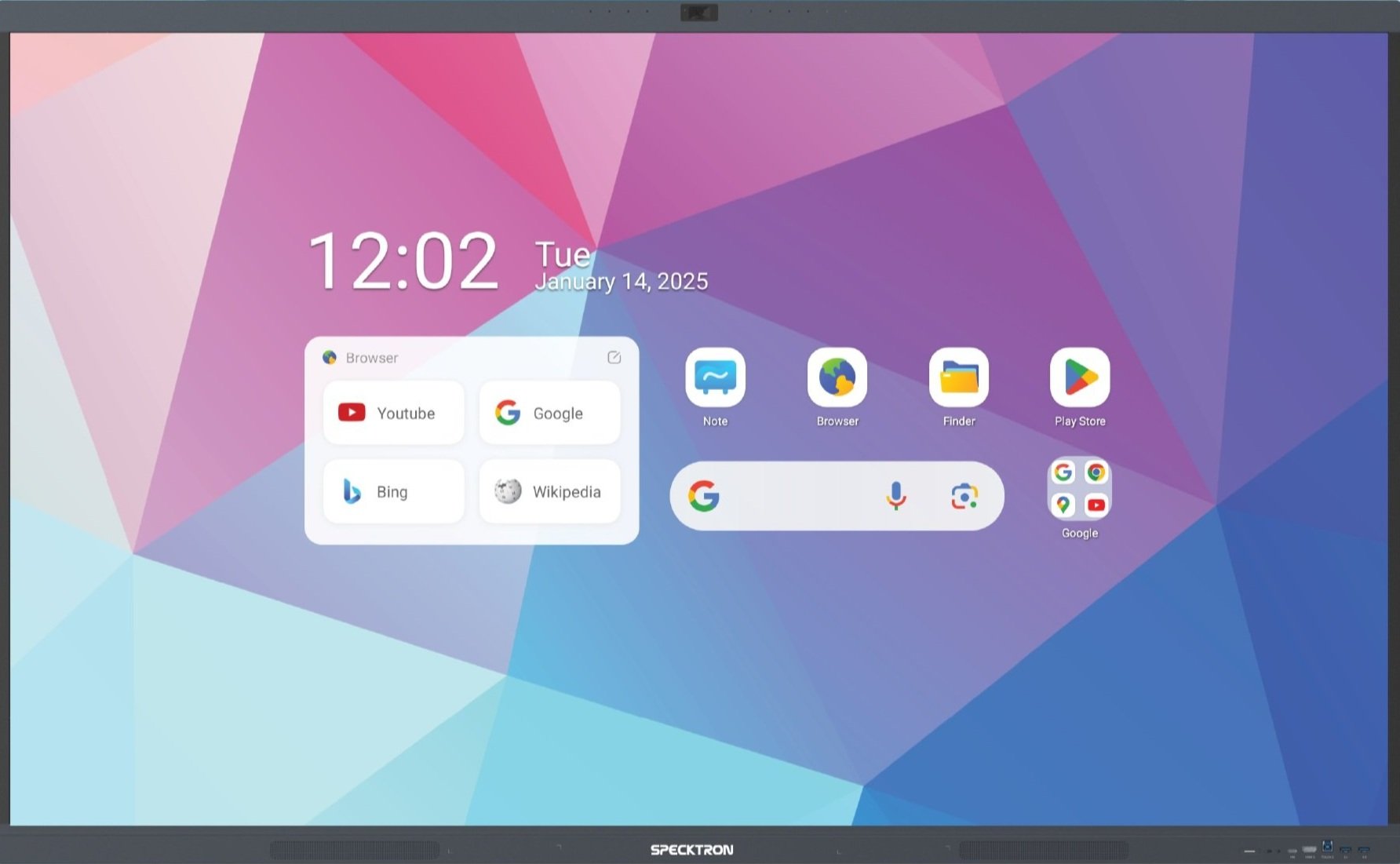
Not all Android panels are equal. Google EDLA certified interactive flat panels come with the full Google Play Store, Google Classroom, Google Meet, and Chrome built-in — no laptop needed. The Specktron UDX-S2 Pro delivers a true Google experience on a classroom display.
What is Google EDLA?
EDLA stands for Enterprise Devices Licensing Agreement — a certification program by Google that allows non-phone devices like interactive flat panels to run the complete Google Mobile Services (GMS) suite. This includes Google Play Store, Google Classroom, Google Meet, Chrome, Google Drive, YouTube, and over 1 million apps from the Play Store.
Most interactive panels on the market run AOSP Android (Android Open Source Project) — a stripped-down version of Android without any Google services. These panels cannot install apps from the Play Store, cannot run Google Classroom or Google Meet natively, and rely on basic built-in browsers with limited functionality.
An EDLA certified panel has passed Google's rigorous hardware and software testing. Google guarantees regular security updates, app compatibility, and a consistent user experience — the same reliability you expect from a Chromebook or a certified Android tablet, but on a 65" to 98" classroom display.
EDLA vs Non-EDLA Interactive Panels
This comparison shows why Google EDLA certification matters for schools investing in interactive flat panels:
| Feature | EDLA Certified Panel | Non-EDLA Panel |
|---|---|---|
| Google Play Store | Full access — install any of 1M+ apps | No access — limited to vendor's app store |
| Google Classroom | Native app — full features, notifications, offline | Browser-only — limited functionality |
| Google Meet | Built-in app — HD video calls from the panel | Not available — requires external laptop |
| Security Updates | Regular Google security patches | Vendor-dependent — often infrequent or none |
| App Ecosystem | 1M+ verified apps from Play Store | Limited vendor apps or sideloaded APKs |
| Chrome Browser | Full Google Chrome with sync and extensions | Basic built-in browser — no sync, no extensions |
| Google Drive | Built-in — access files, Docs, Sheets, Slides | Manual browser access only |
| Device Management | Google Admin console — centralized school control | Vendor MDM only — if available |
Specktron UDX-S2 Pro — Google EDLA Certified
The Specktron UDX-S2 Pro is a Google EDLA certified interactive flat panel designed specifically for modern classrooms. It combines a premium 4K display with the full Google ecosystem and Specktron's own SparkyAI teaching assistant.
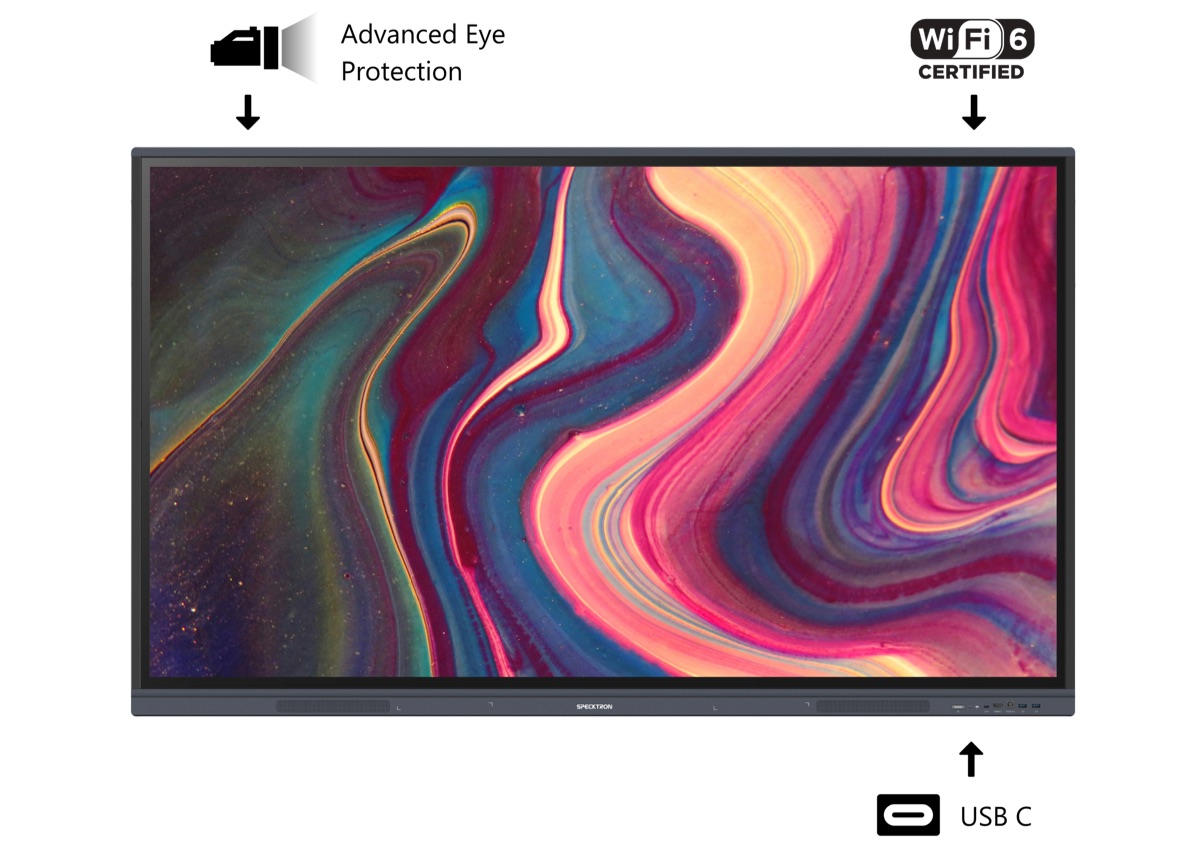
Specktron UDX-S2 Pro — The only Google EDLA certified interactive panel we supply
Key Specifications
Google Apps Built-In
Because the UDX-S2 Pro is EDLA certified, it ships with these Google apps pre-installed and ready to use:
Google Play Store
Install educational apps like Khan Academy, GeoGebra, Kahoot, Canva, and thousands more directly on the panel.
Google Classroom
Native app with full functionality — create assignments, share materials, grade work, and manage classes from the panel.
Google Meet
Conduct video calls with guest speakers, parent-teacher meetings, or connect classrooms across branches — no laptop needed.
Chrome Browser
Full Chrome with bookmark sync, extensions, and seamless integration with Google accounts.
Google Drive + Docs
Access lesson files, presentations, and spreadsheets stored in Drive. Edit Docs, Sheets, and Slides directly on the panel.
YouTube
Stream educational videos in 4K directly on the panel. Use YouTube for Education channels for curriculum content.
Perfect for Google Workspace Schools
If your school already uses Google Workspace for Education, an EDLA certified panel is the natural extension of your existing ecosystem. Teachers and students already have Google accounts — the panel simply becomes another device in that ecosystem.
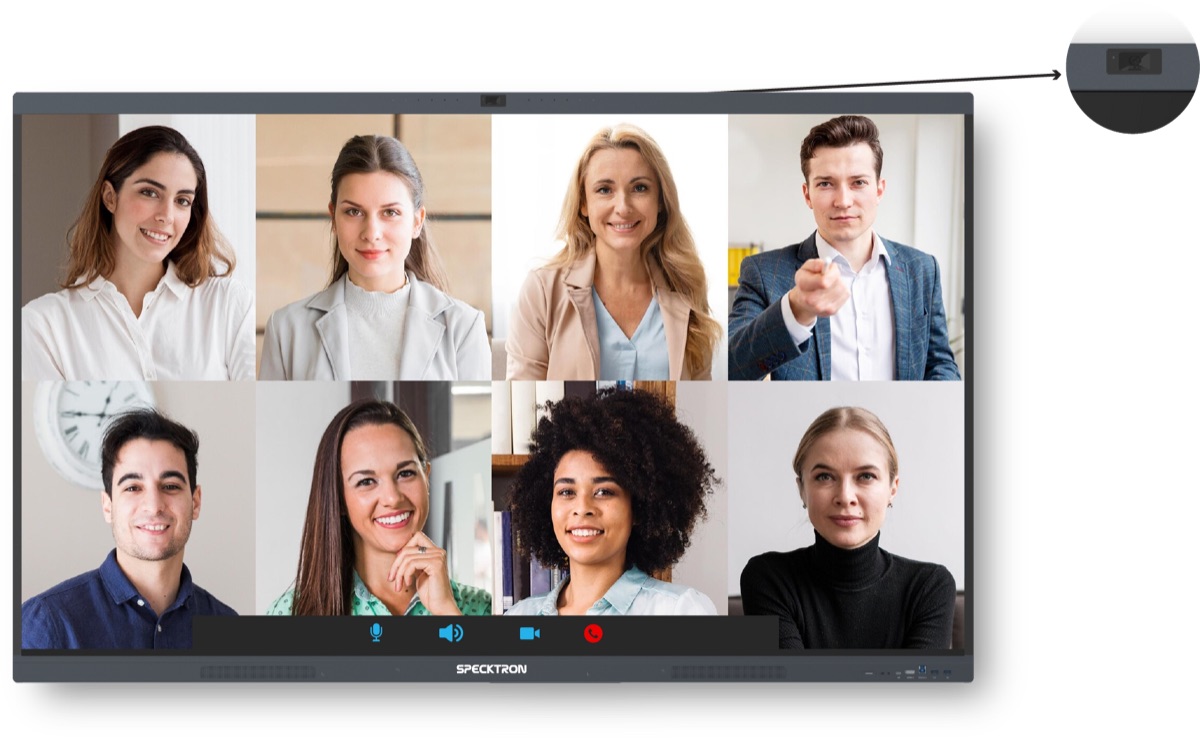
Google Meet runs natively on EDLA panels — no external laptop needed
How EDLA Panels Integrate with Google Workspace
Single Sign-On
Teachers sign in with their school Google account. All their Classroom courses, Drive files, and Meet calendar show up instantly.
Centralized Management
IT admins manage all panels from Google Admin console — push apps, set policies, restrict content, and monitor usage across the school.
Seamless Sharing
Students cast their Chromebook screens to the panel wirelessly. Teachers share Drive presentations without USB drives or email attachments.
Automatic Updates
Google pushes security patches and app updates automatically. No manual firmware downloads or USB update processes.
Already using Google Workspace for Education? Learn more about our Google Workspace integration services and how EDLA panels complete your digital classroom setup.
Benefits of EDLA Panels for Schools
No Laptop Required
Teachers can run their entire class from the panel — Google Classroom, presentations, videos, quizzes — without connecting a laptop or computer.
Future-Proof Investment
Google guarantees ongoing updates and app compatibility. Your panel stays current with the latest educational apps and security standards for years.
Lower Total Cost
Eliminate the need for separate OPS Windows modules (Rs. 20,000-40,000) since Google apps run natively on Android. Save on laptop procurement per classroom.
Teacher-Friendly
Teachers already know Google apps. Zero learning curve — if they can use a Chromebook or Android phone, they can use an EDLA panel.
Enhanced Security
Google Play Protect scans apps for malware. Regular security patches keep the panel safe from vulnerabilities. Admin controls prevent unauthorized app installs.
Massive App Library
Access 1M+ apps including Khan Academy, Kahoot, GeoGebra, Canva, Duolingo, BYJU'S, Vedantu, and every educational app on the Play Store.
Frequently Asked Questions
What is Google EDLA certification for interactive panels?
Google EDLA (Enterprise Devices Licensing Agreement) is a certification that allows interactive flat panels to run the full Google Mobile Services suite, including Google Play Store, Google Classroom, Google Meet, Chrome browser, and Google Drive. Only EDLA-certified panels get these apps pre-installed and regularly updated by Google, making them significantly more capable than standard Android panels.
Which interactive panel brands have Google EDLA certification?
Only a few interactive panel brands have achieved Google EDLA certification. Specktron is one of the leading EDLA-certified brands with their UDX-S2 Pro series. Other brands like BenQ and Promethean have EDLA models as well. Most budget panels from lesser-known brands do not have EDLA certification and run basic AOSP Android without Google services.
Why is Google EDLA important for school interactive panels?
Google EDLA is critical for schools because it provides native access to Google Classroom, Google Meet, and the full Play Store directly on the panel. Teachers can run Google Classroom lessons, conduct video calls via Meet, install any educational app from the Play Store, and use Chrome browser — all without connecting a laptop. Non-EDLA panels cannot run these Google apps natively, limiting their usefulness in Google Workspace schools.
What is the price difference between EDLA and non-EDLA interactive panels?
Google EDLA certified panels typically cost 15-30% more than non-EDLA panels of the same size. For example, a 75-inch EDLA panel may cost Rs. 1,68,000-2,24,000 compared to Rs. 1,12,000-1,54,000 for a non-EDLA panel. However, EDLA panels eliminate the need for an external laptop or OPS module to access Google apps, which can save Rs. 20,000-40,000 in additional equipment costs.
Can non-EDLA panels use Google Classroom and Google Meet?
Non-EDLA panels cannot install Google Classroom or Google Meet apps from the Play Store because they lack Google Mobile Services. Teachers can access Google Classroom through a basic browser, but the experience is limited — no push notifications, no offline access, and reduced functionality. Google Meet will not work reliably on non-EDLA panels without connecting a laptop. For schools using Google Workspace, EDLA panels are strongly recommended.
Is the Specktron UDX-S2 Pro compatible with Google Workspace for Education?
Yes, the Specktron UDX-S2 Pro is fully compatible with Google Workspace for Education. Being EDLA certified, it comes with Google Classroom, Google Meet, Google Drive, Docs, Sheets, Slides, and Chrome pre-installed. Teachers can sign in with their school Google account and access all Workspace apps natively. It also supports Google Admin console for centralized device management across the school.
Get Google EDLA Certified Interactive Panels for Your School
Upgrade to the full Google experience on your classroom displays. Specktron UDX-S2 Pro available in 65", 75", 86", and 98" with installation and training.
Google EDLA-Certified Specktron Panels
Licensed Google Play, Classroom and EDLA certification on the Specktron UDX-S2 range.